

Overview
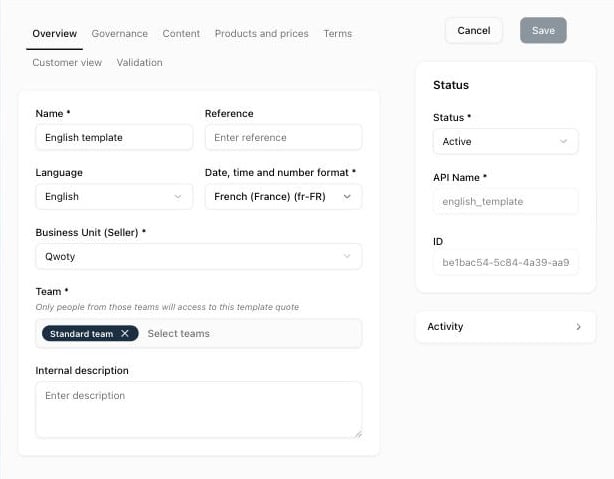
Right panel: Status * (Active or Inactive; only active templates can be used for new quotes), API Name *, and ID.
Governance
See How approvals work.
Content
Products and prices
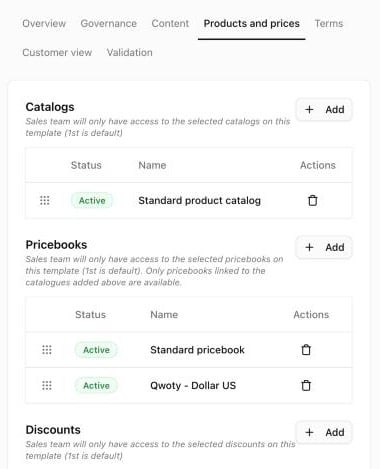
Drag rows to change the order; the first row is the default.
Terms
Payments & Credits:
Contract & Terms: the contract models available in quotes. For each one, set Editable, Mandatory, Insertion (Always displayed or Available), and the order. A mandatory contract is always displayed and can’t be removed from quotes. See Link a contract model.
Customer view
See Forms.
Validation
Esign & Sharing:
Email & Reminders:
PDF setup:
Notifications: Internal recipients after quote validation: email addresses, separated by commas, that receive a separate email when a quote is validated.
External IDs: CRM ID, ERP ID, and Accounting ID of the template.
Related
Create a quote template
Set up a template step by step
Configure the signature
How signature settings apply to quotes
Content blocks
Blocks used in the Content tab
Business units
Branding of the seller