

You need a role with the Developers settings permission to connect or configure integrations. See Permissions reference.
Open the integrations page
1
Open Settings
Click Settings in the main navigation.
2
Open Integrations
In the Developer section, click Integrations. The page lists the Available providers.
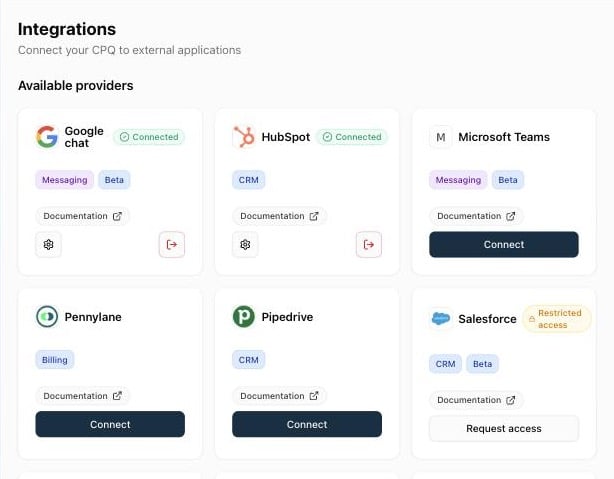
Available providers
Each card shows tags for the provider’s type and a Documentation link to its technical page.
Some providers are tagged Beta.
Provider card actions
CRM integrations
When you connect HubSpot, Pipedrive, or Salesforce, Qwoty opens the integration settings, where you map fields and pipeline stages. Sales reps can then create and open quotes from the deal or opportunity in the CRM.CRM integrations
Connect HubSpot or Pipedrive and set up the sync.
Connect Salesforce
Install the Qwoty package and connect your org.
CRM sync fields
Field synchronisation, pipeline mapping, and deal amount.
Technical documentation
Each provider has a technical page in the developer documentation:HubSpot
Pipedrive
Salesforce
Pennylane
Stripe Billing
Stripe - Invoice
Stripe - payment link
Slack
Microsoft Teams
Google Chat
Other ways to connect
Webhooks
Send Qwoty events to your own endpoints.
API tokens
Call the Qwoty API from your own systems.